The check up
The Check up reads your own records and answers, in order: what state the money is in, what to do first, whether things are getting better, and where the month goes. Every figure on it is arithmetic over numbers you can also see on other screens, and it deliberately says nothing about what to buy or where to put money.
Where to find it
Section titled “Where to find it”Open Planning and then Check up. You also reach it from See more in What needs attention on the Overview, or from the command palette (Ctrl K, or Cmd K on a Mac). There is nothing to set up: while it works the headline reads Reading your figures, and then the reading appears.
 (opens the picture at full size)
 (opens the picture at full size)
Read the verdict
Section titled “Read the verdict”The headline is one of four sentences, and the rule behind it is the whole of it, with no weights:
- Your money is tight when at least one of the four signs is Poor. This can show in your first week, because Due right now needs no history.
- Too soon to say when nothing is poor but a sign cannot be read yet.
- Your money is comfortable when all four signs are Good.
- Your money is steady in every other case.
Read the four signs
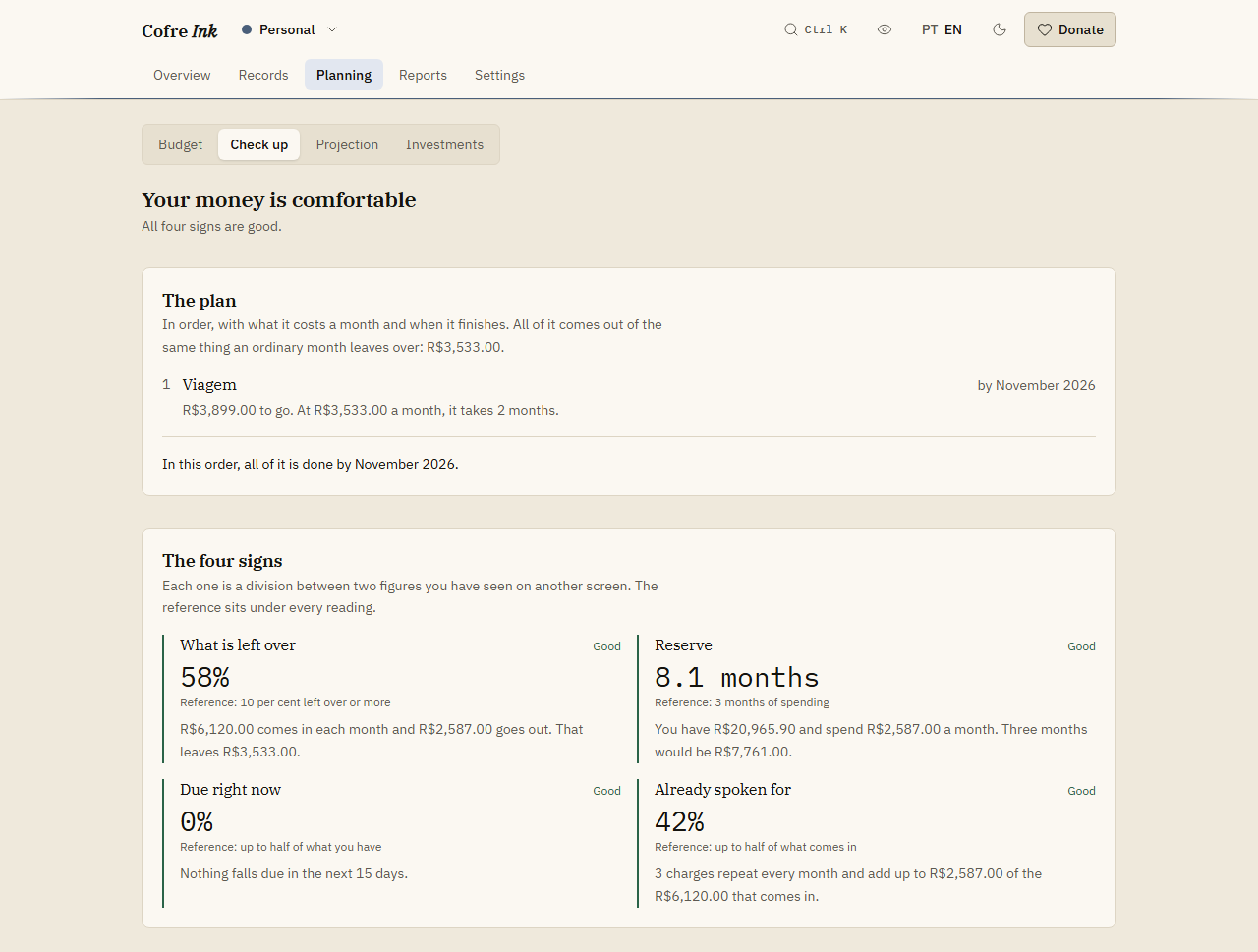
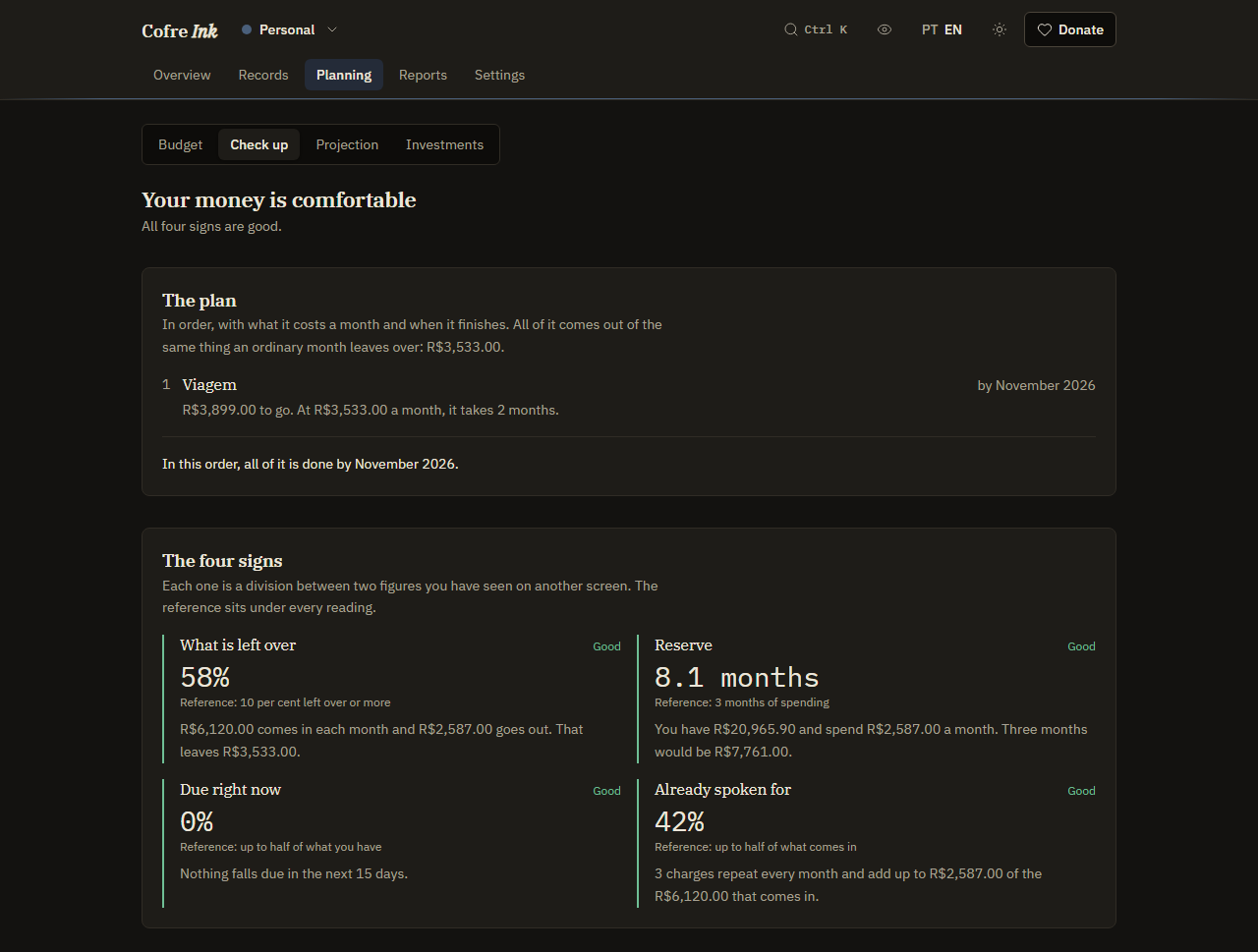
Section titled “Read the four signs”Under The four signs, each one shows a reading, a state, a reference line and a sentence with the figures it was made from.
| Sign | What it divides | Good | Could be better |
|---|---|---|---|
| What is left over | What an ordinary month leaves after spending, by what comes in | 20 per cent or more | 10 per cent or more |
| Reserve | The money you have, by an ordinary month of spending | 3 months or more | 1 month or more |
| Due right now | What falls due in the next 15 days, by the money you have | Up to half | Up to all of it |
| Already spoken for | What repeats every month, by what comes in | Up to 50 per cent | Up to 70 per cent |
Past those lines a sign is Poor, and Due right now is also Poor whenever something falls due and you have nothing to pay it with. An ordinary month is the median of up to six closed months. The money you have counts every account except those of kind Investment. What falls due comes from expenses marked Has not happened yet, and what repeats is a description that turns up in at least three different months. Until there are three closed months, the three signs that need them read No reading and Not enough yet.
Follow the plan
Section titled “Follow the plan”When there is something to do, The plan comes first, above the signs. Its steps always follow the same order, and a step that is already covered does not show:
- Cover what is already due, when more falls due in the next 15 days than you have. It carries no date: it is this week.
- Make the month close, when an ordinary month leaves nothing over. It says how much more has to be left over each month to keep ten per cent of what comes in, and until then the steps below carry no date.
- One month of cover.
- Reach three months of cover.
- Your goals from the Budget screen, under their own names: those with a date first, in date order, then those without one.
Every step is paid for by the same thing, what an ordinary month leaves over, so each one starts when the one before it finishes. A step says how much is missing, how much a month and for how many months, and the month it lands in. When a goal would land after the date you gave it, the step says That is past the date you set for this goal. The order is the one opinion on the screen, and the screen says so: cover comes before a goal. The example data, as it comes, has no plan, because that household already has more than three months of cover and no goals. To add steps of your own, create goals (see Budget, save first and goals).
Panels further down
Section titled “Panels further down”Each panel appears once there are enough closed months for it to say something. A closed month is a month before the current one with at least one record that has happened, so a month with nothing written down does not count.
| Panel | What it shows | Appears with |
|---|---|---|
| What changed | The three latest closed months against the three before them: what comes in, what goes out, what is left over and what you have, each marked better, worse or the same | Six closed months |
| Where the money comes from | Up to four sources of income in an ordinary month, and, if the biggest one stopped, how long what you have would last, or that what still comes in covers an ordinary month | Three closed months |
| Where the month goes | Up to five categories that weigh most in an ordinary month, and your own cheapest month in each | Three months of spending in a category |
| The card | What an ordinary invoice is, whether the last one was above or below it, and the instalments already bought for the months ahead | A closed card invoice, or an instalment still to come |
| What is coming | Months of the past year that cost at least 20 per cent more than an ordinary month, when they come round again, and how much to put aside each month for them | Twelve closed months |
The four signs and the plan need three closed months, except Due right now and Cover what is already due, which need none. The example data holds about three months: enough for the four signs, not for What changed or What is coming.
At the bottom, What else the figures pointed at lists the findings, most with a button to the screen where you deal with them (see Notices and findings).
What it will not tell you
Section titled “What it will not tell you”- Where to put money. The screen ends by saying it is not investment advice, and nothing on it points you to a product, a fund or a bank.
- A score. There is no model and no rating: every line carries the figures it was made from, so you can check it by hand, as How this was worked out says at the bottom.
- A target taken from somebody else. Where it points at spending less, the figure is your own cheapest month in that category.
- Anything about borrowing, or about finding a second income.
Good to know
Section titled “Good to know”- It works the same in both modes: in browser mode the arithmetic runs in your browser, in server mode on your Cofre Ink server. Nothing is stored; it is worked out again each time you open the screen.
- It reads the space that is open. Most of it counts only records that have happened; the exceptions are what falls due in the next 15 days and the instalments still to come under The card.
- The dates assume the months ahead look like the months behind, and they redraw themselves as you write things down.
- Sources of income are grouped by description, so a salary written two different ways counts as two sources. Write it the same way every month.